Less friction, better answers: a year of improvements on Dynatrace Developer

Dynatrace Developer is one of your everyday tools, and over the past year we made it much better. Cleaner navigation, reliable search, new developer guides and design patterns for use cases you know well, plus a quickstart for building apps with AI. A lot of this came from what you told us in feedback, surveys, Dynatrace Community threads, and your questions in Office Hours. Here's what changed:
Navigation that gets out of your way
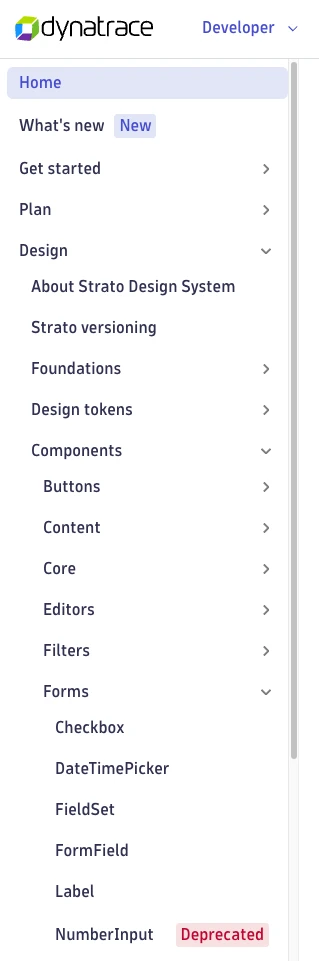
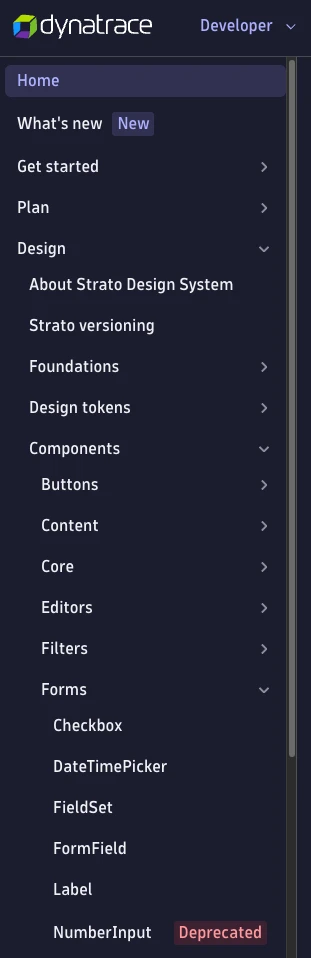
The left-hand navigation got a structural overhaul, not just a tidy-up. Expandable subsections let you open topics you're working on and close up the rest. Along with the expandable sections, we introduced consistent landing pages that give a preview of what's inside each section.
We also moved pages where they belong and streamlined Strato's component libraries to make finding the right component or icon easier. We also added descriptive labels to let you know if a page is a guide, a reference, a release note, or something different; how long it takes to read it; and whether it's new or deprecated.

See what's new, spot what's changing
The new and deprecated lifecycle labels now appear in both the sidebar navigation tree and page headers. If a page or Strato component tab is freshly published or on its way out, you'll see it before you've read a word.
Search — now, you shall find
Several improvements made search more reliable and relevant:
- Page titles are now indexed and weighted more heavily, so searching for the exact name of a page surfaces it at the top.
- New frontmatter attributes and improved page titles and descriptions support clearer results and help to surface related pages together rather than scatter them.
- Availability also improved, so search is now consistently usable across the site, including after navigation, without requiring a page reload. In 2026, we've had no recorded downtimes and 100% availability.
AI guides and a quickstart
A new AI for app development quickstart shows you how to use AI tools alongside our developer toolchain. And a new section for guides covers building AI-enabled app features with Dynatrace Intelligence — formerly Davis AI — including AI skills and resources, writing conversation starters, contributing DQL examples, and building prompts for dashboards.
Developer guides
A new code optimization section landed with four practical guides for improving app performance:
- Understand lazy loading — route- and view-based code splitting, when not to split, and how to parallelize a chunk download with its Grail query.
- Stale-While-Revalidate — how to use SWR to keep UIs responsive while data refreshes in the background.
- Prevent layout shift — techniques for holding space for async content so pages don't jump when data loads.
- Bundler-friendly code — patterns that make your code easier for the bundler to tree-shake and split.
Several more guides also landed this year:
- Page titles — set descriptive browser-tab titles for your apps and widgets, so users can tell multiple open tabs apart at a glance.
Design patterns and foundations
The Patterns section added several new pages covering common design challenges:
- AI presence — how to show AI features in your app: disclaimers, loading states, conversation starters, and feature-level entry points.
- Common actions — shared vocabulary and do/don't rules for common UI actions (New, Add, Delete, Duplicate, Pin, Edit, Save, Share), so labels stay consistent across every app and users know what's going on.
- Error messages — component selection, copy principles (be specific, show a way forward, don't assign blame), and do/don't examples from Dynatrace UI copy.
- Filtering — which filter components to use and when, how to lay them out, and how to handle no-results states.
The Foundations section also got important new basics:
- Accessibility — describes WCAG 2.2 AA requirements and explains what Strato handles for you automatically, and what you're responsible for in your own app code.
- Content checklist — a handy checklist to help you keep your content in shape and line with Dynatrace content style.
Accessibility for Strato components
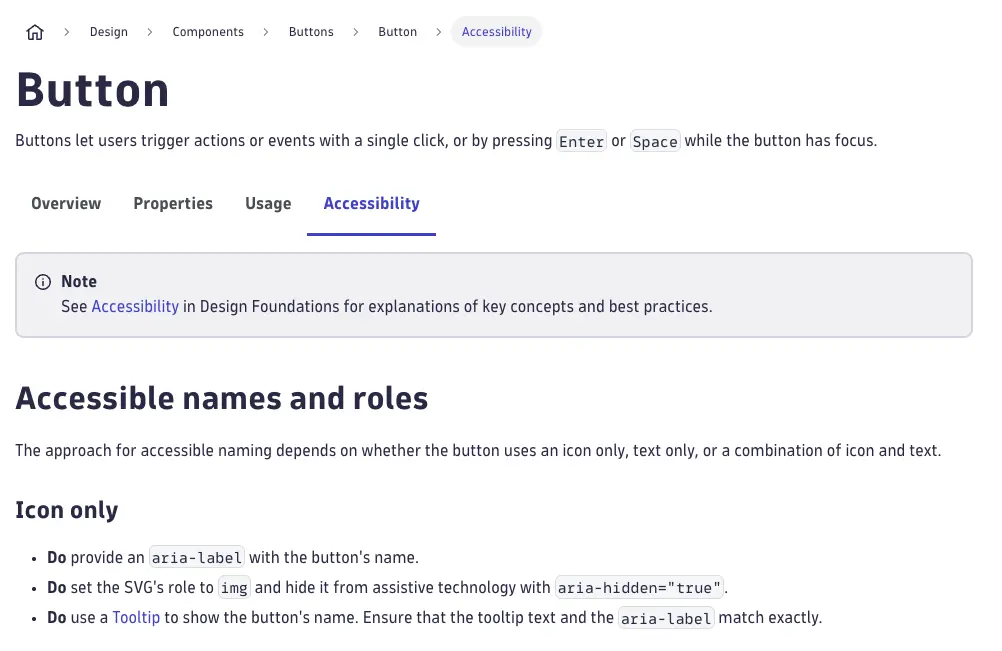
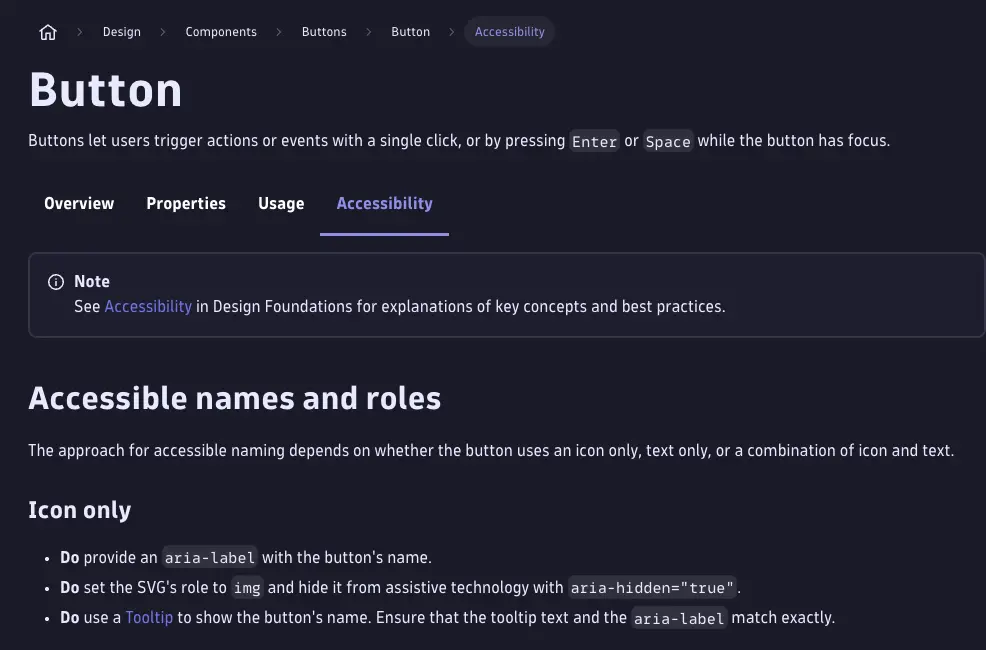
Individual Strato component pages now include an Accessibility tab with component-specific requirements and ARIA guidance. Use these in combination with the new Accessibility foundations page to make your apps accessible for all users.
Strato upcoming changes
Breaking changes in the design system are no longer a surprise. The Upcoming changes page lists every breaking change scheduled for future Strato releases, with enough lead time to plan migrations. Bookmark it and check it before any major upgrade.
Interactive code snippets for Strato components
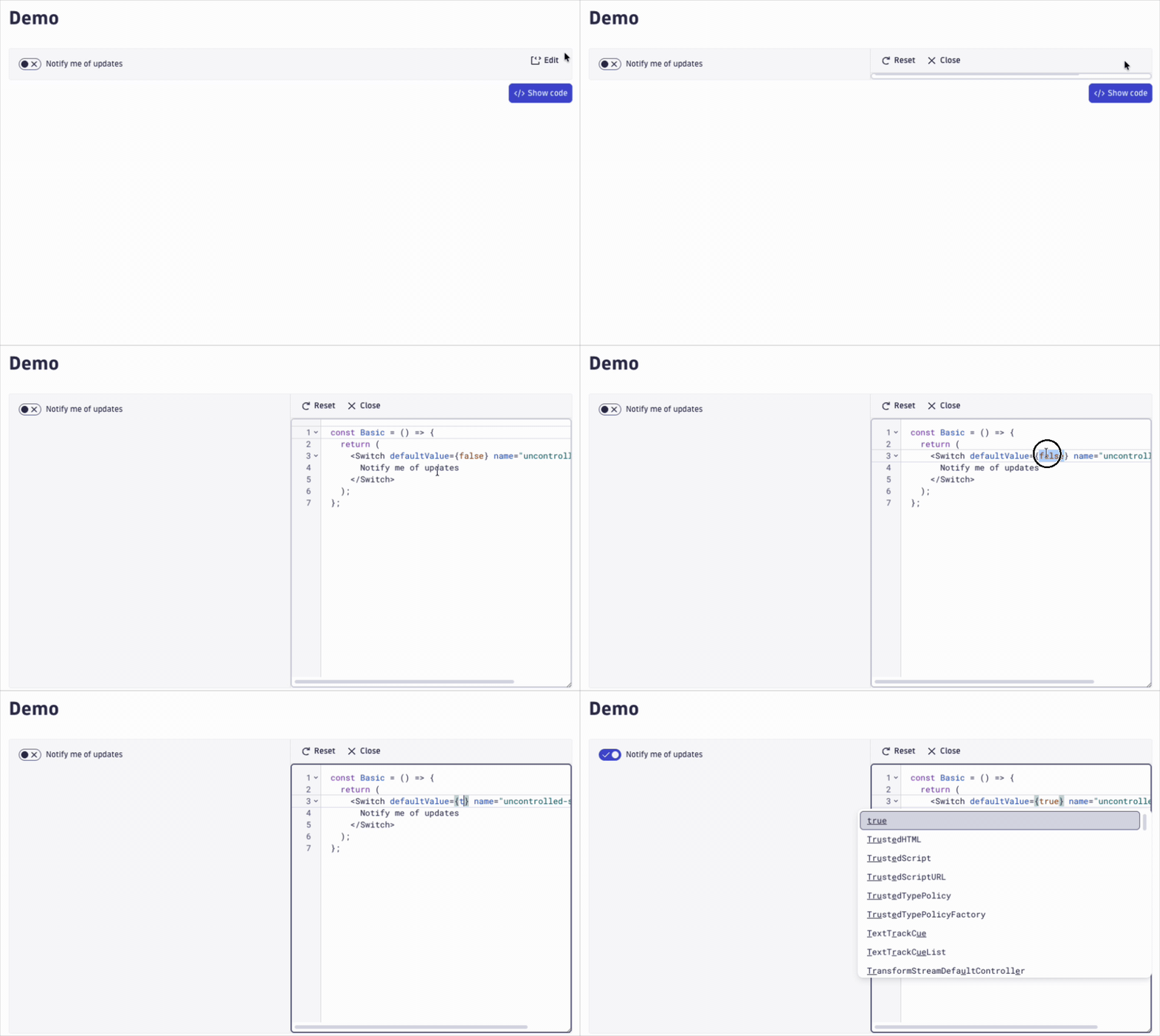
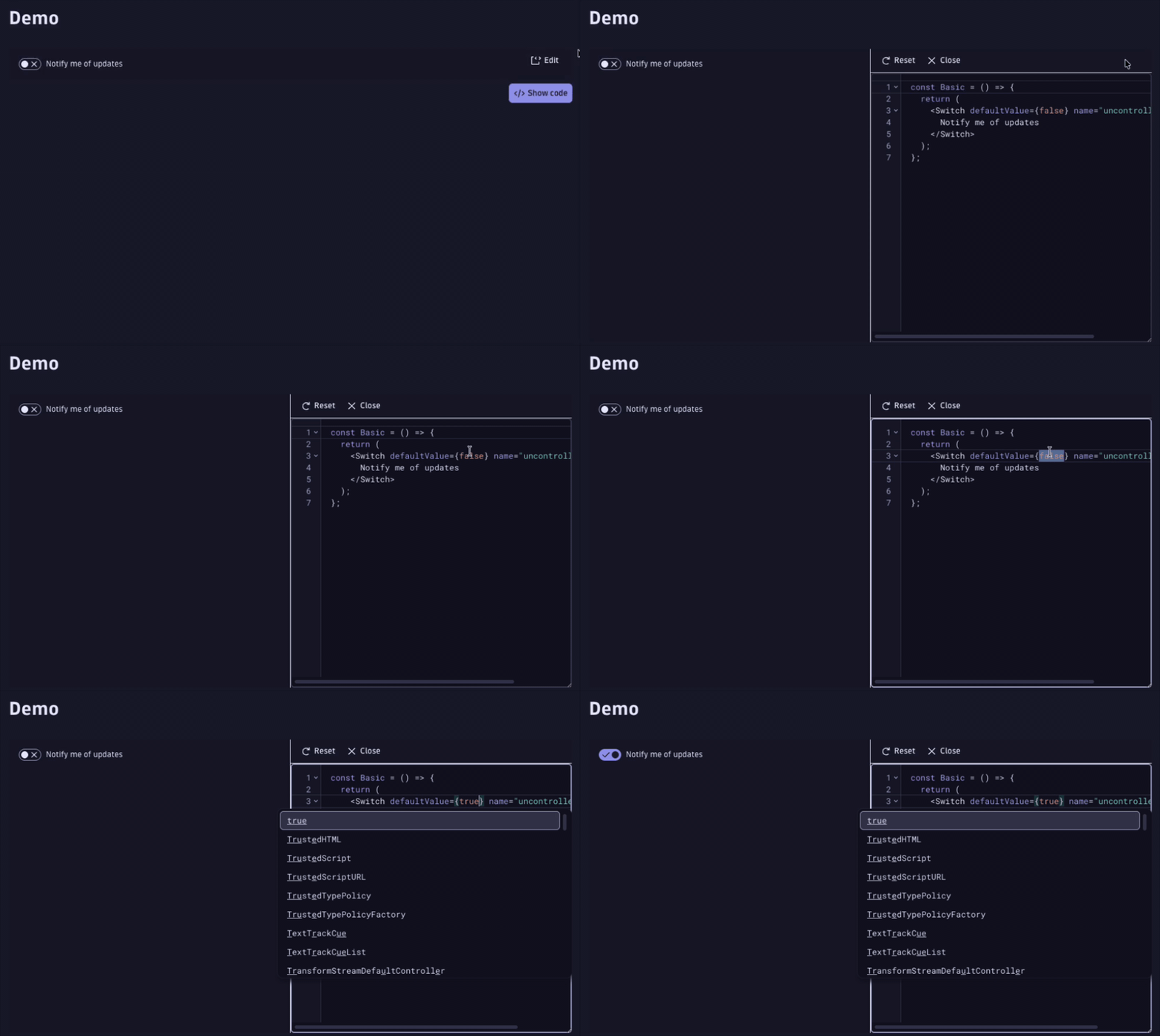
Every Strato component example now has an Edit button. Click it to start live editing — change props, tweak values, and see the result rendered side-by-side in real time. No copy-paste-and-run cycle; just experiment directly on the page.
New SDKs
Four new @dynatrace-sdk packages are now documented on the portal:
- client-filter-segment-management — manage filter segments programmatically.
- client-resource-store — read and write resources in the Dynatrace resource store.
- client-service-level-objectives — query and manage SLOs from your app.
- client-synthetic — interact with Dynatrace Synthetic from app code.
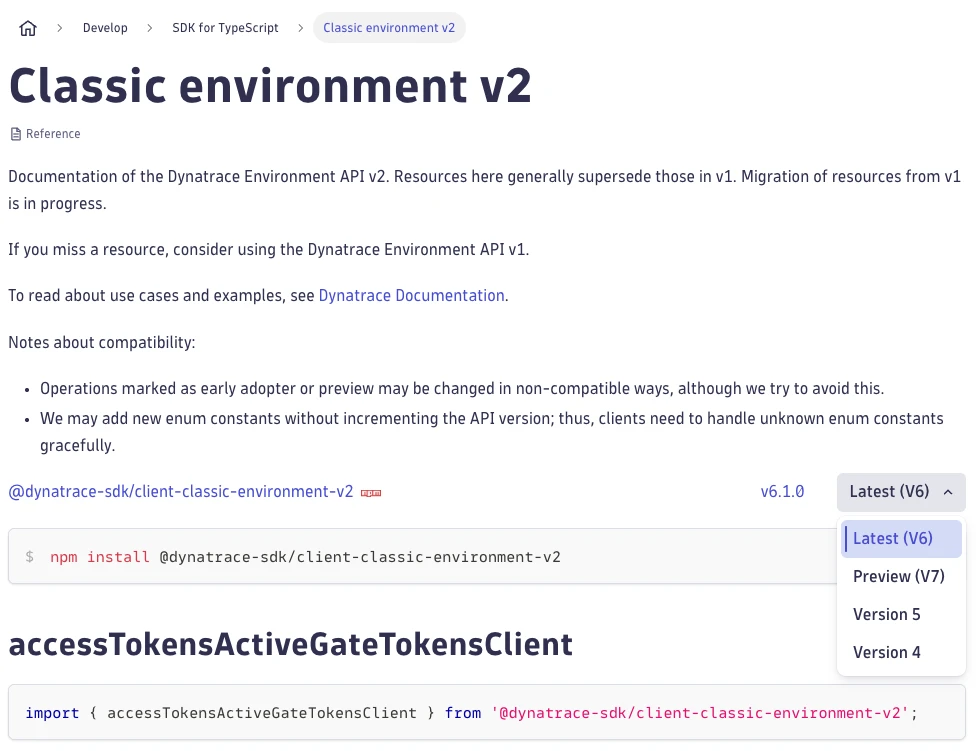
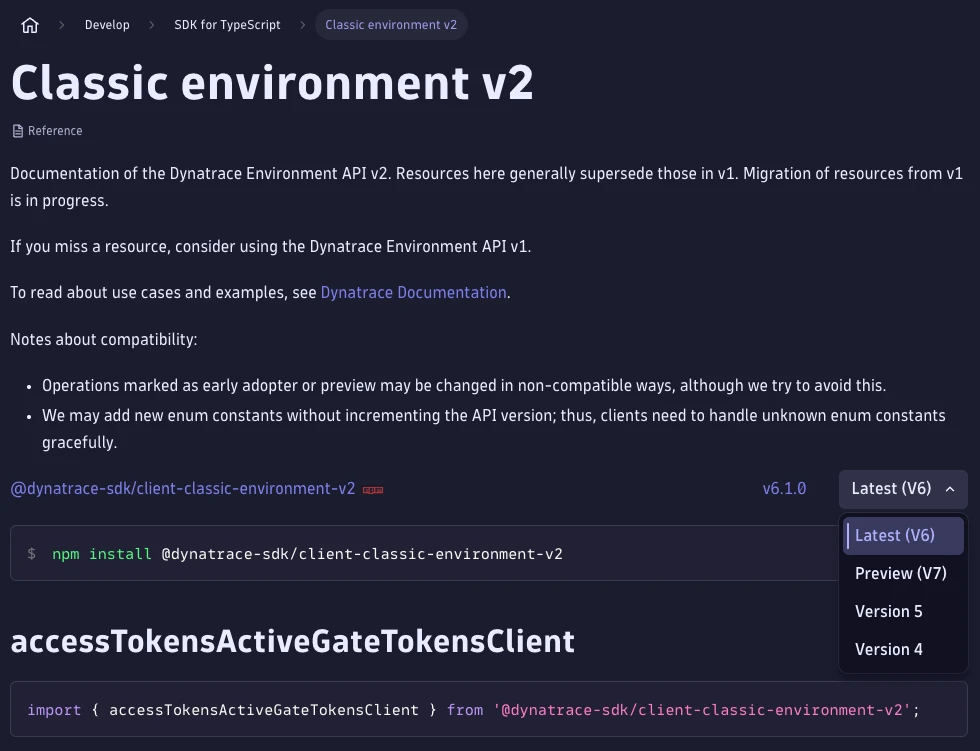
The SDKs overview page is also new — a single place to see all available packages and what each one does. A version picker on each SDK reference page lets you switch between the latest publicly released version, the latest internal preview release, and past major versions.
API reference
The APIs landing page brings all Dynatrace APIs into one place — current APIs and classic APIs, each with their own subpage and links to the full reference. If you've ever gone hunting for the right API entry point, this is what was missing.
What's new blog
This very blog you're now reading launched in June 2026 as a searchable, filterable feed for all app developer news. See the launch post for background.
Looking ahead
We're not slowing down. As fall begins, our work is picking back up. New design patterns are on the way and we're upgrading the release notes to make them easier to scan and act on. We're also creating new docs for AI-first app development.
As always, tell us what you need. Share feedback using the button at the bottom of the page, start a thread in Dynatrace Community, or bring your questions and suggestions to Office Hours. We want to hear from you.