AI presence
- Reference
- 6 minutes
Introduction
"Dynatrace Intelligence" is the umbrella term for all artificial intelligence (AI) in Dynatrace, including generative, agentic, causal, and predictive AI. This term replaces the old name "Davis AI" and reflects expanded capabilities. As an app creator, you must include Dynatrace Intelligence visual styling and content patterns if:
- Any analysis is performed with AI.
- Any summaries, explanations, or answers are given with the help of AI.
- Any recommendations are given with the help of AI.
In other words, wherever AI is present in Dynatrace, you must make it apparent with specific visual styling and text. These patterns build trust and transparency, and help people make informed decisions about using AI-generated content and features.
A consistent and transparent approach to showing the presence of AI is also essential for compliance with AI governance frameworks, such as the European Union’s AI Act.
Scenarios
Below are common scenarios involving Dynatrace Intelligence that require AI presence to be shown in a consistent way. The Strato components and content patterns to use in each scenario are described below, along with do and don’t content examples.
AI triggers
AI triggers prompt Dynatrace Intelligence to perform a pre-defined task, such as explain logs or problems, or write a valid DQL query from a natural language prompt. These "conversation starters" open Assist, the Dynatrace AI chat, and run the specified intent. The user can ask follow-up questions or refine the conversation with further details.
Strato components
Content patterns
The content pattern varies slightly depending on where the trigger is located and what appears beside it.
- Triggers in the app interface must have the
AiIconin the prefix. - Triggers in Assist don't have the
AiIcon. - Make triggers short but specific. Ideally, 1-3 words.
If trigger is in app interface: AiIcon + [Imperative verb capitalized] + [object in lowercase, unless it's a brand name]


| Do | Don't |
|---|---|
AiIcon Explain problem | AiModelIcon Explain problem |
AiIcon Summarize execution plan | Explaining problem |
AiIcon Write DQL | Troubleshoot AiIcon |
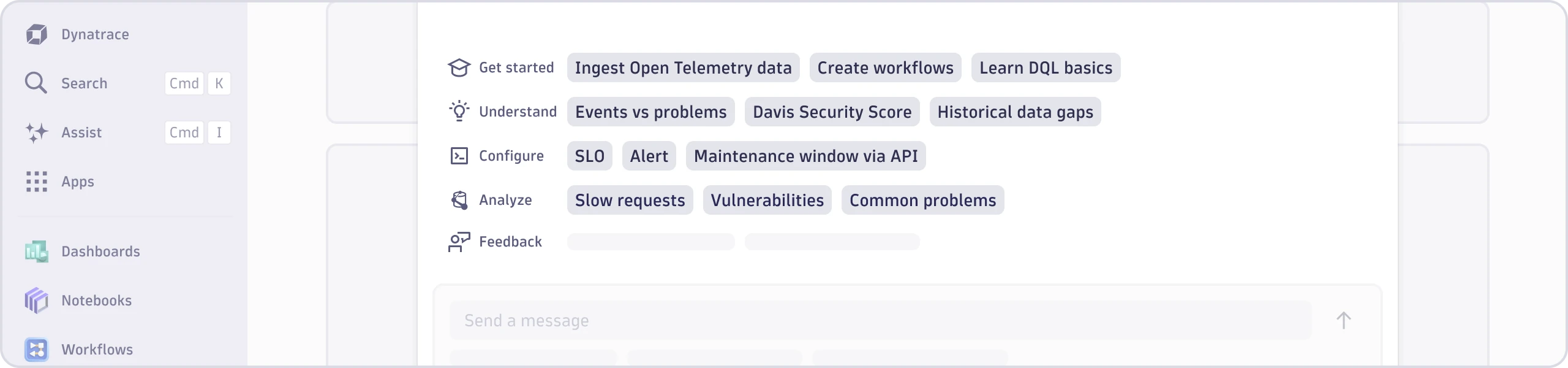
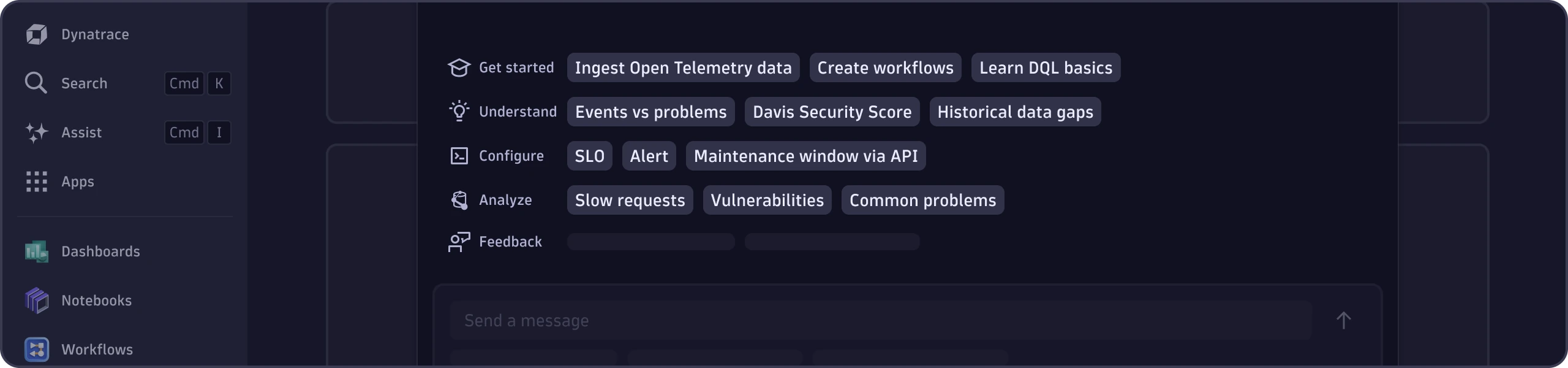
If trigger is in Assist and preceded by an imperative verb, such as "Understand", "Configure", "Analyze": [Object in sentence case]
| Do | Don't |
|---|---|
| SLOs | How to create good SLOs |
| Workflows | workflows |
| Maintenance window | Continuous maintenance schedule updates |
If trigger is in Assist and preceded by "Get started": [Imperative verb capitalized] + [object in lowercase, unless it's a brand name]
| Do | Don't |
|---|---|
| Learn DQL basics | DQL basics |
| Summarize execution plan | Summarize |
| Explain problem | Explain Problem |
AI feature
Any feature powered by AI, including AI-generated content, must be labeled accordingly.
Strato components
Content patterns
Default
AiIcon Intelligence
If space is too tight for default
AiIcon


| Do | Don't |
|---|---|
AiIcon Intelligence | AiIcon Dynatrace Intelligence |
AiIcon (if space is tight) | AiIcon AI-generated |
| by Dynatrace Intelligence |
AI loading state
The AI loading animation must appear whenever the AI is working on a response.
Strato components
Content patterns
If there is an object: [-ing verb capitalized] + [object in lowercase, unless it's a brand name]...
If there isn't an object: [-ing verb capitalized]...
- End with an ellipsis (...). Don't insert a space before the ellipsis.
- Don't write a whole sentence. Keep to a couple words.


| Do | Don't |
|---|---|
| Running DQL... | Still thinking... |
| Analyzing logs... | Reading everything in the knowledge base... |
| Thinking... | Hold on a minute, I'm thinking... |
| Analyzing... | Dynatrace Intelligence is analyzing. |
Disclaimer
The AI disclaimer must appear wherever there is a generative AI response or output. It reminds users to verify the facts and logic of AI responses.
The disclaimer is added automatically to outputs in Assist. App creators must add the AI disclaimer if the AI output is in the app interface. Exception: The disclaimer may be omitted in small areas if an AI feature Chip is used.
Strato components
Content pattern
Use this exact phrase: "Dynatrace Intelligence uses AI. Always verify important information and decisions."
- Use the
ExternalLinkcomponent to link the words "Dynatrace Intelligence" to the Dynatrace Intelligence overview page in Dynatrace Documentation.


The Dynatrace Intelligence overview page will be added to Dynatrace Documentation in early 2026. Links to the old Davis AI overview page will automatically redirect users to the new Dynatrace Intelligence overview page.