ExpandableText
- New
The ExpandableText component provides expand and collapse functionality for inline text.
When to use
- To manage content where screen space is limited and vertical scrolling should be minimal.
- To keep a layout balanced and easy to scan by clipping long text, such as a description in a table cell or key-value list, and showing the full text in place on demand.
- To give users additional, non-critical, inline information in a non-intrusive way.
When not to use
- When the complete text is essential for understanding the context or making a decision. Display the full content instead.
- For critical or time-sensitive information that should stand out. Use Toast or MessageContainer instead.
Content guidelines
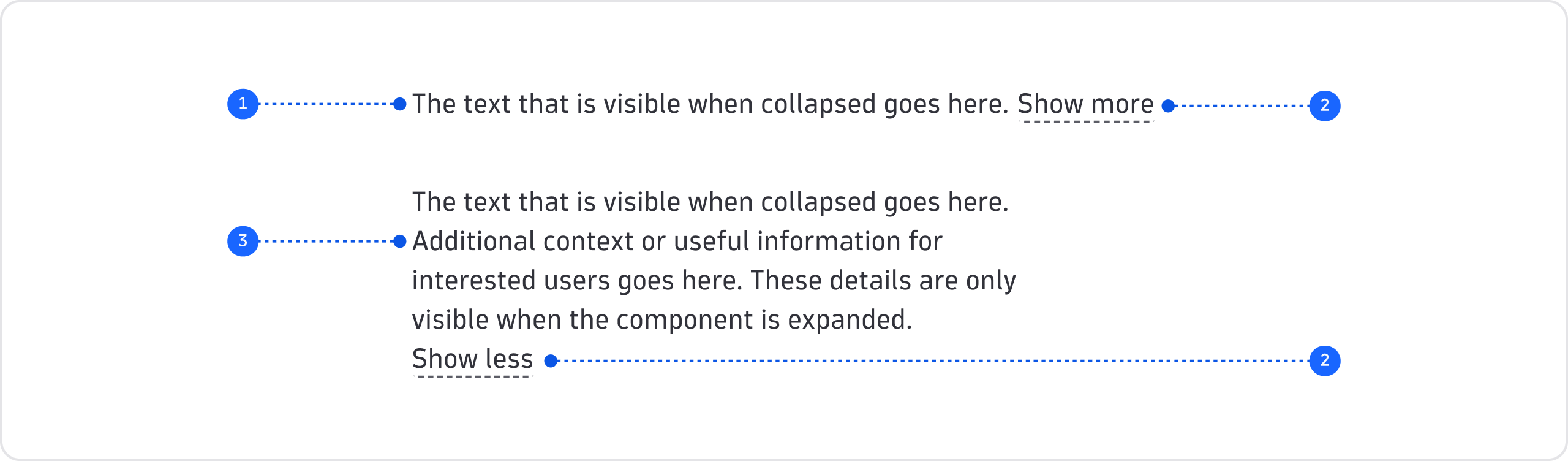
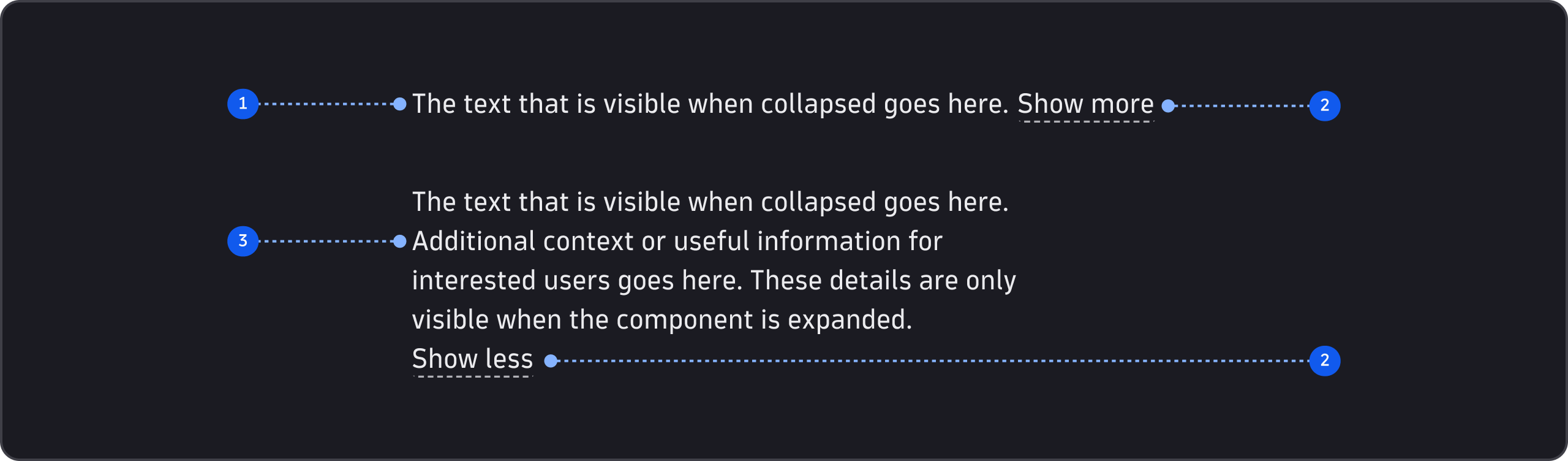
- Summary (required)
- Expand/collapse button (required)
- Details (required)
Summary
- Any critical information must go here, not in the details.
- Make sure summary text makes sense on its own. Users should see what's necessary without clicking the expand button.
- Avoid cutting the summary text off abruptly. Where possible, end it at a natural pause, such as the end of a sentence.
- For user-generated content that can't be shortened by hand, such as descriptions, clip the text after a fixed number of characters.
- Write in sentence case and end sentences with periods.
Expand/collapse button
- The expand/collapse button reveals and hides the details.
- For consistency with other Dynatrace apps, use the default "Show more" and "Show less" labels.
Details
- Use for additional, non-critical information that is relevant and meaningful to the user's context. This is often the rest of the clipped summary text.
- Be clear and concise. If the details are an explanation and even more information would be relevant, provide links. Use the ExternalLink component for external pages or the Link component for pages within the same app.
- Write in sentence case and end sentences with periods.