useFocusRing
Import
import { useFocusRing } from '@dynatrace/strato-components/core';
Demo
You can use the useFocusRing hook to apply focus styles to your components
depending on the user's input modality (mouse vs. keyboard). By default, you can
see the visual differences by tabbing to the elements.
Variants
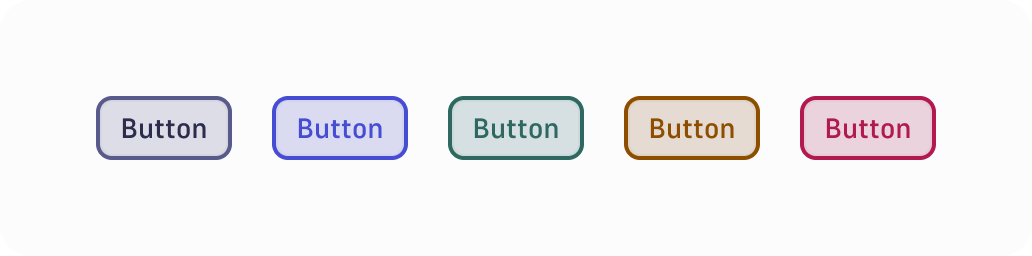
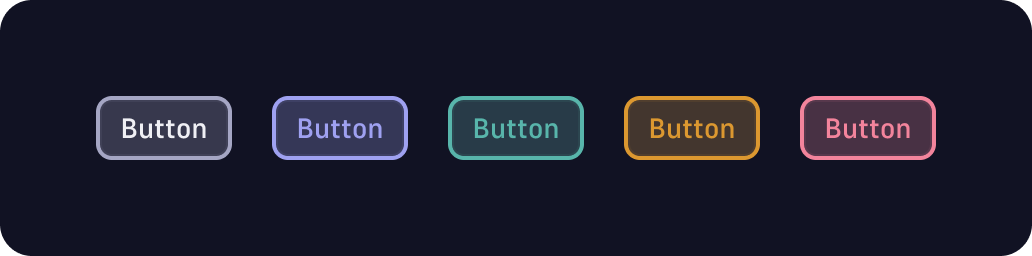
Use the variant option to apply different styles depending on how the
component is used. The supported variants are: neutral, primary, success,
warning, and critical.
When applying all focus outlines (if the buttons are focused via keyboard), this is what the variants would look like:
Ignore modality
Use the ignoreModality option to show the focus ring regardless of how the
component was focused. Compare what happens when you click, versus when you tab
to the element using a keyboard. If you click it, the focus ring is still
applied. You may use it for components like text inputs or text areas, where
clicking focuses the elements, so the user can already start typing.
Minimal
Use the isMinimal option for components surrounded by text, where the focus
ring needs to fit a smaller space, such as links.